Manual JLR VCI Installation for SDD (G4746445)
NOTE:
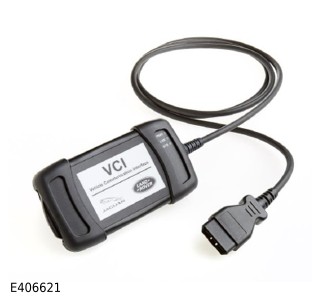
This Jaguar Land Rover (JLR) approved J2534 Vehicle Communication Interface (VCI) can only be used with Symptom Driven Diagnostics (SDD) software 142.00 and later.
To use the JLR VCI, install the device drivers using the following instructions:
- Power up the SDD machine.
- Press the Windows icon on your keyboard, or select the Windows Start menu.
- Select All Programs..
- Select JLR.
- Select SDD.
- Select VCI Device Drivers.
- For more information on downloading software refer to the following link; (TOPIx Cloud Diagnostics/Download and Installation).
- Select JLR VCI.
- A pop-up window will be displayed - Welcome to the JLR VCI setup wizard, select Next.
- A pop-up window will be displayed - Select Installation Folder, select Everyone then select Next.
- A pop-up window will be displayed - Confirm Installation, select Next.
- A progress scroll bar will be displayed and will close automatically when complete.
- A pop-up window will be displayed - Installation Complete, select Close.
- Shut down the SDD machine.
- Connect the VCI device to the vehicle.
- Connect the VCI device to the SDD machine with the Universal Serial Bus (USB) cable.
- Power up the SDD machine.
- Start the SDD application.